EQUIPMENT / COMBAT / CITY

Urban Reload Wiki

Last updated:

Urban Reload is a tactical PvP shooter set in city streets. Fight other players, loot their guns, farm cash, and collect equipment while risking the weapons you carry.
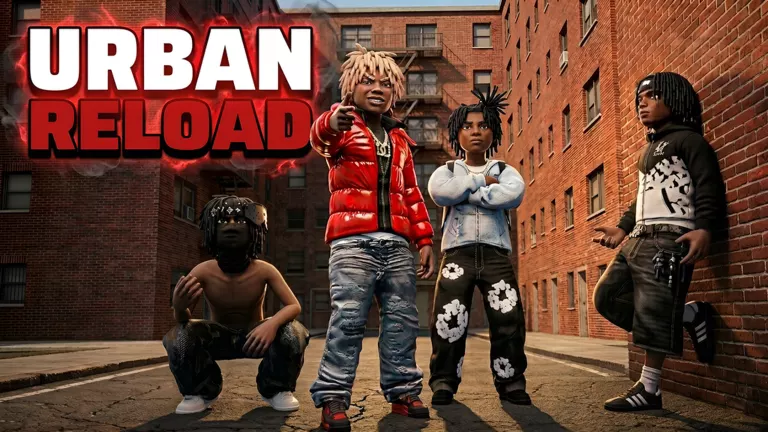
Urban Reload official artwork
URBAN RELOADROBLOX / PLAYER REFERENCE

Game overview

Genre
Action
Visits
575K+
Favorites
2K+
Creator
Squad Labs
Game created
2026-10-05
Game updated
2026-10-23
On this page

Start Playing

Full beginner guide
  1. Select a firearm. Find the bottom hotbar, choose a gun you already have, and check its ammunition display. Selecting another item changes what your character holds.

  2. Prepare your supplies. Identify the supplies available in your hotbar before entering a fight.

  3. Enter a street fight. Take down an enemy to loot their gun and build your equipment options.

Menus: On the keyboard interface with the ALT prompt, hold ALT to release the cursor, then click a menu button. The Shop entry uses a shopping-cart icon on the right in the layout with labeled Crew and Shop buttons.

Hotbar layouts: Some bars have slots labeled 1–5; another layout shows L1/R1 prompts at the ends. Identify items by their icons in your current layout. The menu and hotbar reference explains the different interface labels.
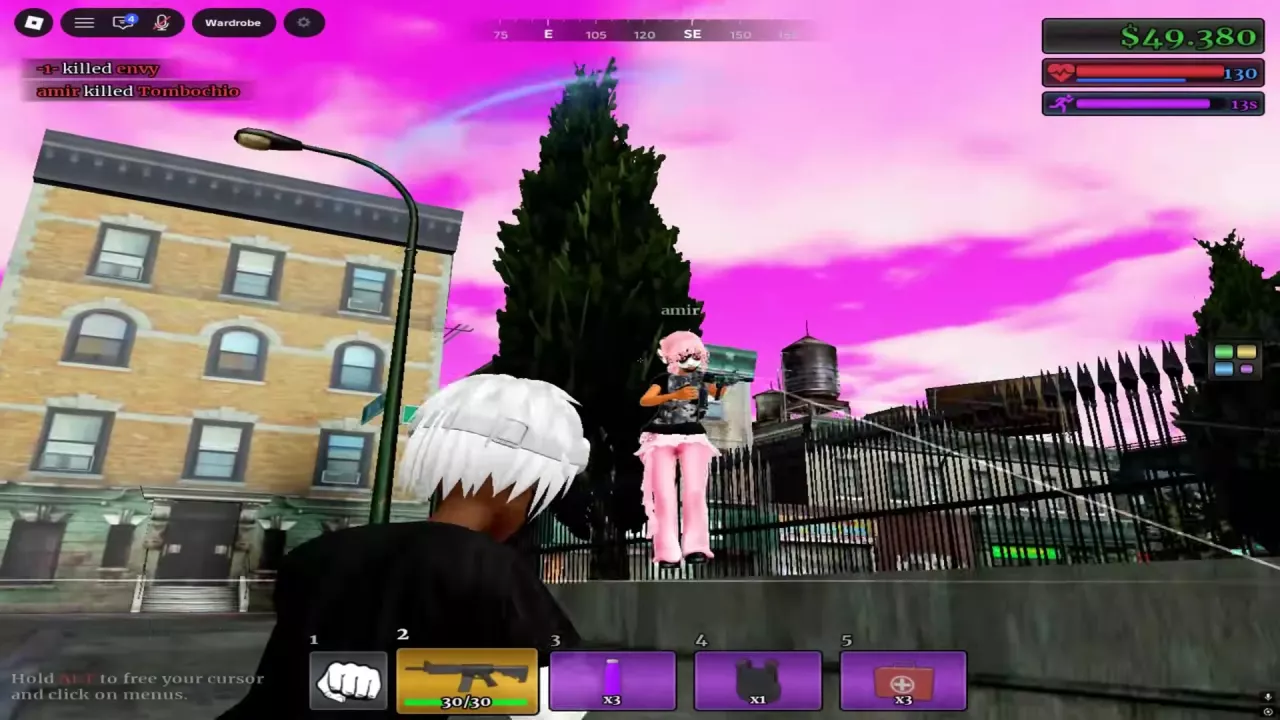
Numbered equipment hotbar, ammunition display, and ALT cursor prompt during street combat.

Street Combat

Full street PvP guide

Aim and reposition

  • Close targets: Use over-the-shoulder aiming and keep turning with opponents as they move or jump.
  • Across the street: Line up your aim before firing, then relocate as the fight shifts.

Downed versus killed

A downed character lies on the ground with a red cross marker; the screen edges can also turn red. They may still have a small amount of health.

With ammunition remaining, you can keep firing at a downed opponent. Confirm the completed kill through the kill feed, which names the killer and defeated player.

SEE IT IN ACTION

Gameplay walkthrough

Street fights, the hotbar, healing and case rewards.

URBAN RELOAD / GAMEPLAY

Weapons and Attachments

Firearms and ammunition

Weapon categories include rifles, shotguns, and pistols. The ammunition display pairs the rounds currently in the magazine with that gun configuration’s magazine capacity. Read it for the equipment you are using; the M4 capacity shown here applies to its beta street-and-plaza combat setup.

The “Next weapon roll in” countdown at the top of the screen tells you how long remains until the next weapon roll.

Attachments

Attachment cases award random results. Choose a case containing the attachment you want; a particular attachment is not guaranteed on each roll.

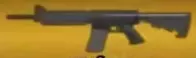
  • M4 rifle icon showing its full side profile.

    M4

    Type
    Rifle
    Magazine capacity
    30 rounds (Beta street and plaza combat setup)
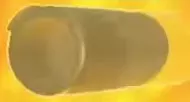
  • Cylindrical suppressor attachment.

    Suppressor

    Type
    Muzzle device
    Case
    MUZZLE & LASER CASE (Random reward)
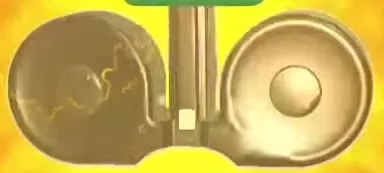
  • Double Drum magazine with two round drums and a central feed section.

    Double Drum

    Type
    Drum magazine
    Case
    GRIP & MAG CASE (Random reward)

Healing and Combat Supplies

Full supplies and healing guide

MEDKIT

If you have a MEDKIT and are injured but still able to act, select and use it, then let the healing progress finish. The MEDKIT +100 prompt describes the displayed healing amount, not a guaranteed net gain of 100 health.

Purple bottle

Drink the purple bottle to trigger a purple aura and its timed status. You can move while drinking.

Other supply icons

  • White medical pouch: A white soft pouch with a red cross. In the L1/R1 hotbar layout, it occupies a separate slot from the red MEDKIT.
  • Black armor vest: A black vest-shaped icon with shoulder straps.
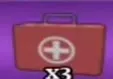
  • Red medical case with a handle and a white cross emblem.

    Medkit

    Use
    Complete treatment to restore health; you can move while healing.
    Consumed per treatment
    1 Medkit (Completed treatment)
  • Glowing purple bottle with a pale cap.

    Purple Bottle

    Consumed per drink
    1 bottle (Completed use)
    Timer after drinking
    15 sec (Starts or refreshes the status)
    After switching to a weapon
    Countdown continues

Farm Zone and City Landmarks

All location and landmark details

Find Farm Zone

  • Near Gem Dealers: Look beside the corner storefront’s roller shutters for the green sign pointing toward Farm Zone.
  • Near Central Pharmacy: Look around the pharmacy plaza for the yellow skull landmark labeled Farm Zone, near the fenced grounds.
  • From farther away: Match the yellow skull landmark to the same icon on the top compass when the distant name is only partly visible.

Recognize the Safe Zone

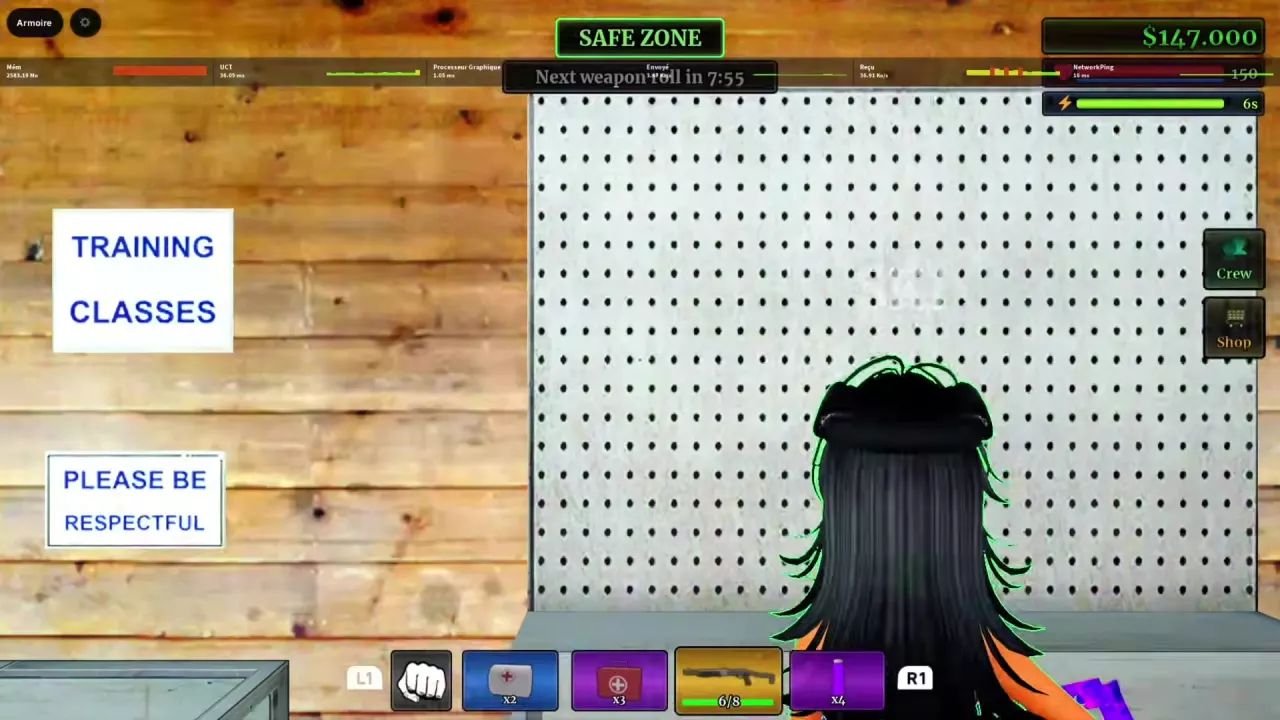
Look for the green SAFE ZONE indicator at the top of the screen. A wooden-walled interior also has a TRAINING CLASSES sign on its left wall.
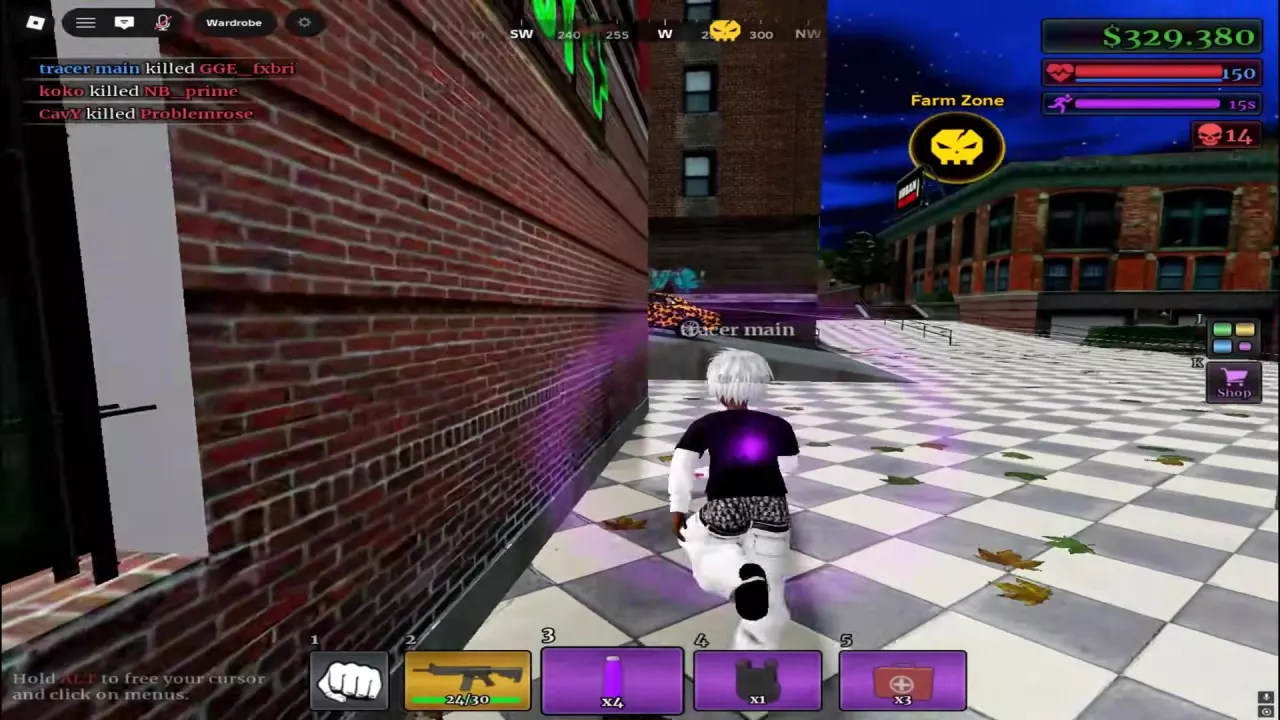
Yellow Farm Zone skull landmark with a matching skull icon on the top compass.
Green SAFE ZONE indicator above a wooden interior with a TRAINING CLASSES wall sign.

Cash Sources and Payouts

Cash sources and reward details

Earn cash through player kills and farming. For a PvP payout, read the green cash notification alongside the kill feed to see the amount awarded.

For Farm Zone directions, use the street signs and yellow skull landmarks.

NameExample payoutExample payout
Rifle PvP kill example
2,500 cash (Individual kill)
Purple long gun street-combat example
1K cash (Individual reward near downed targets)
Red-and-black rifle street-combat example
5K cash (Individual reward notification)

Choose a Case

All case types and reward candidates

Match the case’s reward category to the kind of item you want. Results are random.

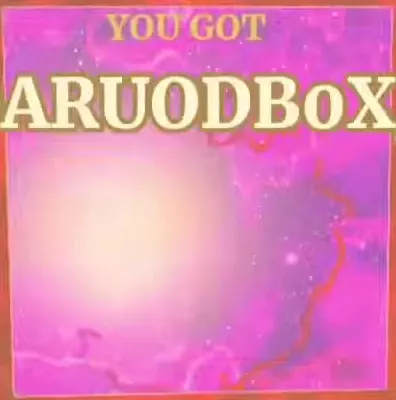
After the roll, YOU GOT identifies the awarded item, and NEW can mark a new reward. Items passing through the scrolling selection are candidates, not rewards you have received.

NameReward category
WRAP CAMO CASE
Patterned camos
GLOSS CAMO CASE
Gloss camos and White Chrome
MUZZLE & LASER CASE
Muzzle devices, lasers and flashlight
GRIP & MAG CASE
Grips, bipod and drum magazine

Camos and Creator Effects

All camos and case sources

Weapon camos

For a cosmic pattern, look for DarkMatter; for waves, Damascus; for a dark reflective finish, Black Gloss.

White Chrome can also drop randomly from GLOSS CAMO CASE.

Creator effects

Content creator perks can include a different sky, custom bullet-tracer visuals, and a chosen kill effect. These are separate from weapon camos and are not available to every player.

  • DarkMatter camouflage preview with a purple and pink cosmic pattern.

    DarkMatter

    Type
    Patterned camo
    Case
    WRAP CAMO CASE (Random reward)
  • Damascus camouflage swatch with a wavy pattern.

    Damascus

    Type
    Patterned camo
    Case
    WRAP CAMO CASE (Random reward)
  • Black Gloss finish preview with a soft reflective highlight.

    Black Gloss

    Type
    Gloss camo
    Case
    GLOSS CAMO CASE (Random reward)

Crews and Leaderboards

Crews

Create a crew to play together with other players. In the interface with labeled Crew and Shop entries, Crew is the person icon on the right. The menu reference helps identify the entry.

Global leaderboards

Urban Reload has global leaderboards where players can compete for higher positions.

Personal Cars

You can unlock your own cars and customize them in Urban Reload.

Game Passes

All game pass listings

Skip case animation (Permanent) provides permanent skipping of case animations.

At the listed prices, Crew Create + Clan totals 798 Robux, while Crew + Clan costs 799 Robux, a difference of 1 Robux. This compares prices only; it does not establish equivalent benefits.

NameListed price
Starter Pack
99 Robux (At the time of the listing)
Crew Create
299 Robux (At the time of the listing)
Clan
499 Robux (At the time of the listing)
Crew + Clan
799 Robux (At the time of the listing)
Skip case animation (Permanent)
499 Robux (At the time of the listing)
QUICK CLARIFICATIONS

Frequently asked questions

Does MEDKIT +100 mean I always gain 100 health?

No. +100 is the healing prompt, not a guaranteed net increase. One completed treatment raises health from 23 to 100, a gain of 77, and consumes one MEDKIT. See MEDKIT healing for the usage details.

Are special skies, bullet tracers, and kill effects weapon camos?

No. Weapon camos are gun finishes. Different skies, custom tracers, and a chosen kill effect can come from content creator perks, which are not available to every player. Read about creator visual effects.

Codes

No codes are currently listed.

Search the wiki

Urban Reload Beginner Guide: Getting StartedStart Urban Reload on Roblox, learn how fighting, looting and cash fit together, and prepare your hotbar, ammo and healing supplies before street PvP.How to Open the Menu in Urban Reload and Read Your HotbarHold ALT to unlock the cursor in Urban Reload, then click a menu. Find Crew and Shop and recognize the numbered and L1/R1 hotbar layouts.Urban Reload Combat Guide: Street PvPImprove street PvP in Urban Reload with a practical loadout, aiming tips, corner movement, flank responses, knockdown recognition and Medkit healing.Urban Reload Combat Supplies: Medkit and Purple BottleIdentify Urban Reload combat supplies, heal with a Medkit, and use the purple bottle’s 15-second status timer, including how drinking again refreshes it.
How to Open the Menu in Urban Reload and Read Your HotbarHold ALT to unlock the cursor in Urban Reload, then click a menu. Find Crew and Shop and recognize the numbered and L1/R1 hotbar layouts.Urban Reload Weapon Types, M4 and Ammo HUDIdentify Urban Reload weapon types, check the M4 beta setup’s 30-round magazine, read the ammo HUD, and understand weapon loss and the weapon-roll timer.Urban Reload Combat Supplies: Medkit and Purple BottleIdentify Urban Reload combat supplies, heal with a Medkit, and use the purple bottle’s 15-second status timer, including how drinking again refreshes it.
Urban Reload Combat Guide: Street PvPImprove street PvP in Urban Reload with a practical loadout, aiming tips, corner movement, flank responses, knockdown recognition and Medkit healing.Urban Reload Combat Supplies: Medkit and Purple BottleIdentify Urban Reload combat supplies, heal with a Medkit, and use the purple bottle’s 15-second status timer, including how drinking again refreshes it.Urban Reload Kill Rewards and Cash SourcesLearn how Urban Reload kill rewards work: confirm PvP kills, read green cash payouts, compare individual reward examples, and recognize the Farm Zone marker.Urban Reload Weapon Types, M4 and Ammo HUDIdentify Urban Reload weapon types, check the M4 beta setup’s 30-round magazine, read the ammo HUD, and understand weapon loss and the weapon-roll timer.
Urban Reload Weapon Types, M4 and Ammo HUDIdentify Urban Reload weapon types, check the M4 beta setup’s 30-round magazine, read the ammo HUD, and understand weapon loss and the weapon-roll timer.Urban Reload Attachment List and Case SourcesBrowse 10 Urban Reload attachments by name, type and case. Find the case for Suppressor, Double Drum, grips, lasers, muzzle devices and Flashlight.Urban Reload Combat Guide: Street PvPImprove street PvP in Urban Reload with a practical loadout, aiming tips, corner movement, flank responses, knockdown recognition and Medkit healing.
Urban Reload Attachment List and Case SourcesBrowse 10 Urban Reload attachments by name, type and case. Find the case for Suppressor, Double Drum, grips, lasers, muzzle devices and Flashlight.Urban Reload Cases: Types and Reward ChoicesChoose Urban Reload cases for DarkMatter, White Chrome, Suppressor or Double Drum. Compare reward candidates, read YOU GOT results and find the animation-skip pass.
Urban Reload Combat Supplies: Medkit and Purple BottleIdentify Urban Reload combat supplies, heal with a Medkit, and use the purple bottle’s 15-second status timer, including how drinking again refreshes it.Urban Reload Weapon Types, M4 and Ammo HUDIdentify Urban Reload weapon types, check the M4 beta setup’s 30-round magazine, read the ammo HUD, and understand weapon loss and the weapon-roll timer.Urban Reload Combat Guide: Street PvPImprove street PvP in Urban Reload with a practical loadout, aiming tips, corner movement, flank responses, knockdown recognition and Medkit healing.
Urban Reload Combat Supplies: Medkit and Purple BottleIdentify Urban Reload combat supplies, heal with a Medkit, and use the purple bottle’s 15-second status timer, including how drinking again refreshes it.Urban Reload Combat Guide: Street PvPImprove street PvP in Urban Reload with a practical loadout, aiming tips, corner movement, flank responses, knockdown recognition and Medkit healing.How to Open the Menu in Urban Reload and Read Your HotbarHold ALT to unlock the cursor in Urban Reload, then click a menu. Find Crew and Shop and recognize the numbered and L1/R1 hotbar layouts.
Urban Reload Kill Rewards and Cash SourcesLearn how Urban Reload kill rewards work: confirm PvP kills, read green cash payouts, compare individual reward examples, and recognize the Farm Zone marker.Urban Reload Locations: Farm Zone, Pharmacy and Safe ZoneFind Urban Reload locations using the Farm Zone skull marker, Gem Dealers sign and pharmacy plaza. Recognize Central Pharmacy and the Safe Zone interior.
Urban Reload Cases: Types and Reward ChoicesChoose Urban Reload cases for DarkMatter, White Chrome, Suppressor or Double Drum. Compare reward candidates, read YOU GOT results and find the animation-skip pass.Urban Reload Attachment List and Case SourcesBrowse 10 Urban Reload attachments by name, type and case. Find the case for Suppressor, Double Drum, grips, lasers, muzzle devices and Flashlight.Urban Reload Camos: Patterns, Finishes and Case SourcesBrowse 10 Urban Reload camos by name, appearance and case source. Find DarkMatter, White Chrome, patterned wraps and colored Gloss finishes.Urban Reload Game Passes and Robux PricesFind Urban Reload game pass listings, Robux prices and official product links. Compare Crew-related prices and find the permanent case-animation skip pass.
Urban Reload Camos: Patterns, Finishes and Case SourcesBrowse 10 Urban Reload camos by name, appearance and case source. Find DarkMatter, White Chrome, patterned wraps and colored Gloss finishes.Urban Reload Cases: Types and Reward ChoicesChoose Urban Reload cases for DarkMatter, White Chrome, Suppressor or Double Drum. Compare reward candidates, read YOU GOT results and find the animation-skip pass.Urban Reload Creator Perks: Skies, Tracers and Kill EffectsLearn why some Urban Reload creators have custom skies, bullet tracers and chosen kill effects, and how these perks differ from gun camos.
Urban Reload Locations: Farm Zone, Pharmacy and Safe ZoneFind Urban Reload locations using the Farm Zone skull marker, Gem Dealers sign and pharmacy plaza. Recognize Central Pharmacy and the Safe Zone interior.Urban Reload Kill Rewards and Cash SourcesLearn how Urban Reload kill rewards work: confirm PvP kills, read green cash payouts, compare individual reward examples, and recognize the Farm Zone marker.
Urban Reload Game Passes and Robux PricesFind Urban Reload game pass listings, Robux prices and official product links. Compare Crew-related prices and find the permanent case-animation skip pass.How to Open the Menu in Urban Reload and Read Your HotbarHold ALT to unlock the cursor in Urban Reload, then click a menu. Find Crew and Shop and recognize the numbered and L1/R1 hotbar layouts.
Urban Reload Game Passes and Robux PricesFind Urban Reload game pass listings, Robux prices and official product links. Compare Crew-related prices and find the permanent case-animation skip pass.Urban Reload Cases: Types and Reward ChoicesChoose Urban Reload cases for DarkMatter, White Chrome, Suppressor or Double Drum. Compare reward candidates, read YOU GOT results and find the animation-skip pass.
Urban Reload Creator Perks: Skies, Tracers and Kill EffectsLearn why some Urban Reload creators have custom skies, bullet tracers and chosen kill effects, and how these perks differ from gun camos.Urban Reload Camos: Patterns, Finishes and Case SourcesBrowse 10 Urban Reload camos by name, appearance and case source. Find DarkMatter, White Chrome, patterned wraps and colored Gloss finishes.